Best Free Budgeting App for Guys Who Hate Budgeting
Rocket Money is the best free budgeting app for guys who hate budgeting because it does the boring part automatically, without making you log every coffee, fuel stop and takeaway by hand.
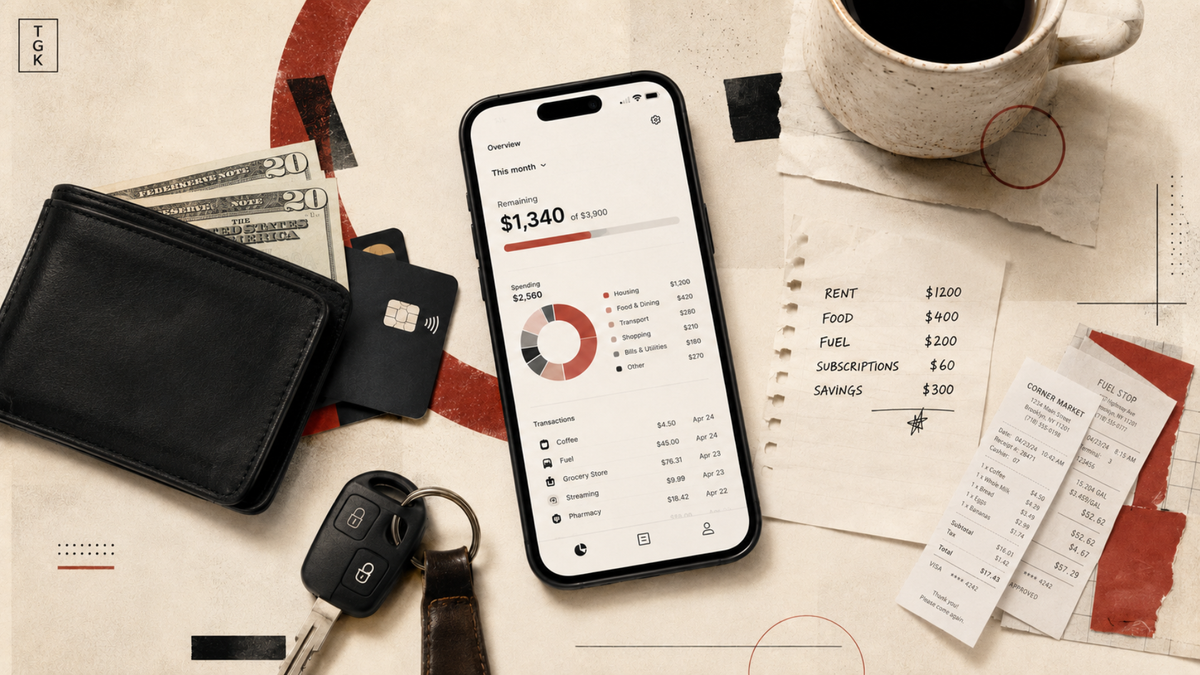
Quick Answer: The best free budgeting app for guys who hate budgeting is Rocket Money. Link your accounts once and it automatically sorts transactions, finds recurring charges, tracks upcoming bills and shows roughly where the paycheck went, without making you manually enter every coffee, fuel stop and late-night takeaway. (Rocket Money)
Most budgeting apps fail because they expect someone who already hates budgeting to maintain a detailed budgeting system. You create twelve categories, assign every purchase, correct the supermarket transaction that landed under “shopping,” then abandon the whole thing before the following payday.
Goodbudget and EveryDollar are useful for people who enjoy deciding where every dollar goes, but their free versions require manual transaction entry. PocketGuard used to appear in plenty of “best free budgeting app” lists, yet its current pricing page offers only a seven-day trial before charging $12.99 monthly or $74.99 annually. Old reviews calling it free are now stale. (Goodbudget)
Why Rocket Money Wins
Rocket Money’s free version imports and categorizes transactions, detects subscriptions, tracks upcoming bills and shows your monthly income, spending and what remains. You can set one total budget, use its standard categories and add two custom category budgets. That is enough for someone who mainly wants to know why the account looked healthy on payday and slightly tragic two weeks later. (Rocket Money)
The limits are real. Free users cannot ask Rocket Money to cancel subscriptions for them, create unlimited custom budgets or use the desktop version. Those features sit behind Premium, which currently uses a flexible price of roughly $7 to $14 per month. (Rocket Money)
Setup takes around five minutes when the bank connection behaves: create an account, link your main bank and credit card, then let the app pull in your recent transactions. Do not spend the first evening correcting every coffee shop category. Check whether the broad numbers make sense, identify any stupid subscriptions and leave.
Free Budgeting Apps Compared
| App | Free-tier limit | Manual or automatic? | Best for |
|---|---|---|---|
| Rocket Money | Two custom category budgets; cancellation and web access paywalled | Automatic bank sync | Least ongoing work |
| EveryDollar | Unlimited categories, but no free bank connection | Manual | Detailed control |
| Goodbudget | 20 envelopes, one account, two devices | Manual | Envelope budgeting and couples |
| PocketGuard | Seven-day trial, then paid | Automatic | Simple leftover-money view |
EveryDollar’s free plan includes unlimited categories, sinking funds, split transactions and bill dates, but automatic bank imports require Premium. Goodbudget gives free users 20 envelopes, one account and two devices, while bank syncing costs $10 monthly or $80 annually. (ramseysolutions.com)
The TGK Take: when a “free” budgeting app still wants you typing in every coffee by hand, it is a part-time job with no pay. Rocket Money is the only clearly verified free option here that handles the boring part automatically, and the boring part is why most budgeting apps get deleted.
Zero Effort or Full Control?
For minimum effort, use Rocket Money. Connect the accounts, look at the numbers once or twice a week and deal with any subscriptions you forgot existed. You do not need to become a budgeting guy; you need a clear answer when you wonder where the money went.
For control, use EveryDollar. Its free version lets you build a detailed zero-based budget with unlimited categories, but every transaction must be entered manually. That can make spending more deliberate, assuming you are genuinely going to keep doing it after the initial burst of financial responsibility wears off. (ramseysolutions.com)
FAQ
Do free budgeting apps sell your data?
Some may earn money through advertising, referrals or financial-product offers, so “free” should never be treated as a privacy guarantee. Rocket Money says it does not accept payment in exchange for personal or financial data, never sees or stores your bank login details, connects through Plaid or Akoya and protects stored data with 256-bit AES encryption. You are still giving an app access to sensitive transaction history, so read the privacy policy before linking anything. (Rocket Money)
What replaced Mint?
Mint shut down in March 2024, and Credit Karma did not carry over its full budgeting system. Monarch Money is the closest polished paid replacement if you want budgeting, investments and household sharing in one place, but it offers only a seven-day trial rather than a permanent free plan. (Wikipedia)
Is a budgeting app worth it with one paycheck and no debt?
Yes, when you regularly reach the end of the month wondering where several hundred dollars went. No, when your bank already sorts spending properly, you save automatically and the balance keeps climbing without supervision.
You do not need a budgeting app installed for moral support. You need visibility, and once your bank statement already gives you that, uninstall the extra app and enjoy your Sunday.
Category: Things to Use
Subcategory: Apps & Tools
Tags: Budgeting App, Rocket Money, Personal Finance
Quick Answer: the best free budgeting app for guys who hate budgeting is Rocket Money. Link your accounts once and it automatically sorts transactions, finds recurring charges, tracks bills and shows roughly where the paycheck went, without making you manually enter every coffee and petrol stop. (rocketmoney.com)
Last verified: July 16, 2026.
Most budgeting apps fail the same way: they give you a beautiful setup screen, ask you to create twelve spending categories, then expect you to maintain the thing like a second job. A guy who already hates budgeting is not going to spend Sunday evening moving supermarket transactions between digital envelopes. He will forget the app exists by next week.
Goodbudget and EveryDollar are useful, but their free versions depend on manual input. PocketGuard used to be the obvious low-effort free option, and its own pricing page and app-store listing still show a free plan capped at a few accounts before Plus kicks in at $12.99 a month. Forbes reported in April 2026 that the free tier had been pulled entirely, so treat "free" here as unstable and check the app before you download it. (pocketguard.com) WalletHub's automatic budgeting tools are also part of WalletHub Premium, so neither one qualifies as the best free pick right now. (Goodbudget)
Why Rocket Money Wins
Rocket Money's free version automatically imports and categorizes transactions, detects subscriptions, tracks upcoming bills and gives you a monthly view of income, spending and what remains. You can set a total budget plus limited category budgets without building an accounting system around your takeaway habit. (rocketmoney.com)
The free plan does have limits, and this is where Rocket Money loses some guys. You get only two custom category budgets, web access is Premium-only, and Rocket Money will point out unwanted subscriptions but won't cancel them for you unless you pay. Premium runs roughly $7 to $14 a month depending on what you pick. If you don't want a third-party app with read access to your bank feed at all, or you actually want to build real category-level control instead of a rough monthly picture, skip Rocket Money and go straight to EveryDollar. (rocketmoney.com)
Setup should take around five minutes when your bank connects on the first attempt: create the account, link your main bank and credit card, then let Rocket Money pull in the history. Do not spend an hour correcting every category on day one. Check whether the broad picture is right, cancel anything stupid and leave.
Free Budgeting Apps Compared
| App | Free-tier limit | Manual or automatic? | Best for |
|---|---|---|---|
| Rocket Money | Two custom category budgets; cancellation and web access paywalled | Automatic bank sync | People who want the least work |
| EveryDollar | Unlimited categories, but no free bank connection | Manual | People who want full control |
| Goodbudget | One account, two devices and 20 envelopes | Manual | Envelope budgeting and couples |
| PocketGuard | Capped free plan, possibly pulled entirely depending on region | Automatic | "Money left over" view, if it's still free for you |
Rocket Money's free automation is the difference. EveryDollar gives you more budgeting control for free, but every transaction must be entered manually unless you buy Premium. Goodbudget's free tier is similarly hands-on, while automatic bank syncing costs $10 monthly or $80 annually. (Ramsey Solutions)
The TGK Take: if a "free" budgeting app still wants you typing in every coffee run by hand, it's not actually free, it's a part-time job with no pay. Rocket Money is the only one on this list that does the boring part for you, and the boring part is the entire reason budgeting apps get deleted.
Zero Effort or Full Control?
For zero effort, use Rocket Money. Connect the accounts, look at the spending once or twice a week and deal with the subscriptions it finds. You do not need to become a "budgeting person," and the app is doing the one job that actually matters, which is telling you where the money went without you asking it to.
For control, use EveryDollar instead. Its free version gives you unlimited categories, sinking funds, transaction splitting and bill dates, but you have to enter the spending yourself, and that only works if you're the kind of guy who'll actually keep doing it past week two. (Ramsey Solutions)
FAQ
Do free budgeting apps sell your data?
Not automatically, but "free" is not a privacy guarantee. Rocket Money says it does not accept payment for personal or financial data, does not store bank-login credentials, connects through Plaid or Akoya and encrypts stored data with 256-bit AES. Read the privacy policy before linking anything, because budgeting apps still process extremely sensitive information. (rocketmoney.com)
What replaced Mint?
Monarch Money is probably the closest polished Mint replacement for people who want budgets, investments and household sharing in one place, but it is not free beyond its trial. Mint itself shut down in March 2024, and Credit Karma did not replace all of its budgeting tools. (Monarch)
Is a budgeting app worth it with one paycheck and no debt?
Yes, when you regularly wonder where the money went. No, when your bank already categorizes spending clearly, you save automatically and the balance is steadily climbing on its own.
You don't need an app installed for moral support. You need visibility, and the second your bank statement already gives you that, uninstall it and go do something better with your Sunday.
Last verified: July 16, 2026.