Seedance 2.5 Review: Brilliant for 5 Seconds, Sloppy at 30
Five Seedance 2.5 tests cost us only $19.62. Some clips looked almost real. Then our 30-second tennis match lost the ball and the plot.

Seedance 2.5 demos already look insane. Every clip is 4K, every face is perfect and somehow everybody using it appears to be Christopher Nolan with unlimited credits. We wanted to see what happens when regular people open the model, use their own source images and spend their own money.
Five seconds of a woman smiling at the camera tells you almost nothing about an AI video model. Most serious models can manage that now. We made Seedance 2.5 handle a tennis serve and a jump rope, then tested a close-up face before asking it to follow one ball through a full 30-second tennis point with another player, broadcast cuts and sound.
For the first few seconds, it completely fooled me. I genuinely felt like I was watching a real tennis broadcast. Then the ball became about 10% of a ball, an umpire shouted over a point nobody quite understood and the crowd celebrated anyway.
The funniest part happened before we even generated the final video. Getting an image model to place two tennis players behind two baselines became its own full sport. The first opponent stood in the service box, the next one did the same, and an image edit then kindly added a third player. We gave it a real tennis photo as a layout reference and, finally, it understood where tennis players stand.
That stupid fight with the source told us almost as much as the videos did. Give Seedance the sharpest, cleanest image you can make. Then write the prompt so clearly that your little brother or your grandma could follow it, read it again yourself and look for the dumbest possible misunderstanding. The model may still ignore the part you cared about most, but at least you have given it a fair chance.
Quick Answer
Yes, I would use Seedance 2.5 again. We spent only $19.62 on five videos, and the best ones looked frighteningly real for the first few seconds. Give it the sharpest source you have, start at 720p and make important work from short shots, because our 30-second tennis match eventually lost both the ball and any clear idea of who had won the point.
What Is Seedance 2.5?
Seedance 2.5 is ByteDance's video-generation model for creating synchronized video and audio from prompts and reference media. ByteDance officially launched it on July 31, 2026 and says it can generate up to 30 seconds in one pass, accept as many as 30 images, 10 videos and 10 audio clips as references, and follow timestamped instructions across longer scenes. The 30-second promise was the part we were most interested in testing. ByteDance's Seedance 2.5 announcement
How We Tested Seedance 2.5
We tested ByteDance's Seedance 2.5 through WaveSpeed's standard image-to-video endpoint with audio enabled on August 10, 2026. Once the source was usable, the first video counted. We remade images with broken hands, rackets, ropes or courts because feeding rubbish into Seedance would tell us very little about the video model.
This review covers image-to-video only. We did not test Seedance's text-to-video, editing, extension or 50-reference workflows, so the verdict below should not be stretched across every version of the model.
The workflow was simple: make the best source we could, write the prompt, press Generate and keep the first video. We did not spend hundreds until the model finally obeyed us.
This was a small paid test, not a scientific benchmark. We judged motion, identity, physical logic, audio and how real each clip felt. The scores are our editorial judgement, and one random generation at a setting cannot tell you the model's average success rate.
The three short 720p clips cost $1.80 each. We repeated the tennis prompt once at 1080p for $4.50, then paid $9.72 for the 30-second test after WaveSpeed applied a 10% discount to its usual $10.80 price.
| Test | Settings | Price paid | What happened | Score |
|---|---|---|---|---|
| Tennis serve | 5 sec, 720p, audio | $1.80 | Strong technique; weaker timing when followed closely | 8.0/10 |
| Jump rope | 5 sec, 720p, audio | $1.80 | Rope, feet and sound worked; one background person morphed | 8.8/10 |
| Café portrait | 5 sec, 720p, audio | $1.80 | Identity stayed stable; eye movement was slightly too fast | 8.9/10 |
| Tennis serve again | 5 sec, 1080p, audio | $4.50 | Soft image, unwanted slow motion and a ghost return | 6.8/10 |
| Full tennis point | 30 sec, 720p, audio | $9.72 with discount | Broadcast feeling was excellent; ball and point logic broke down | 8.1/10 |
Video generation alone cost us $19.62. That does not include making the source images.
Test 1: The 720p Tennis Serve Was Strong, but the Timing Slipped
Our first test used a 2K Seedream image of a woman preparing to serve. We asked Seedance 2.5 for one full serve with realistic body rotation, racket contact, follow-through and two recovery steps at normal speed.
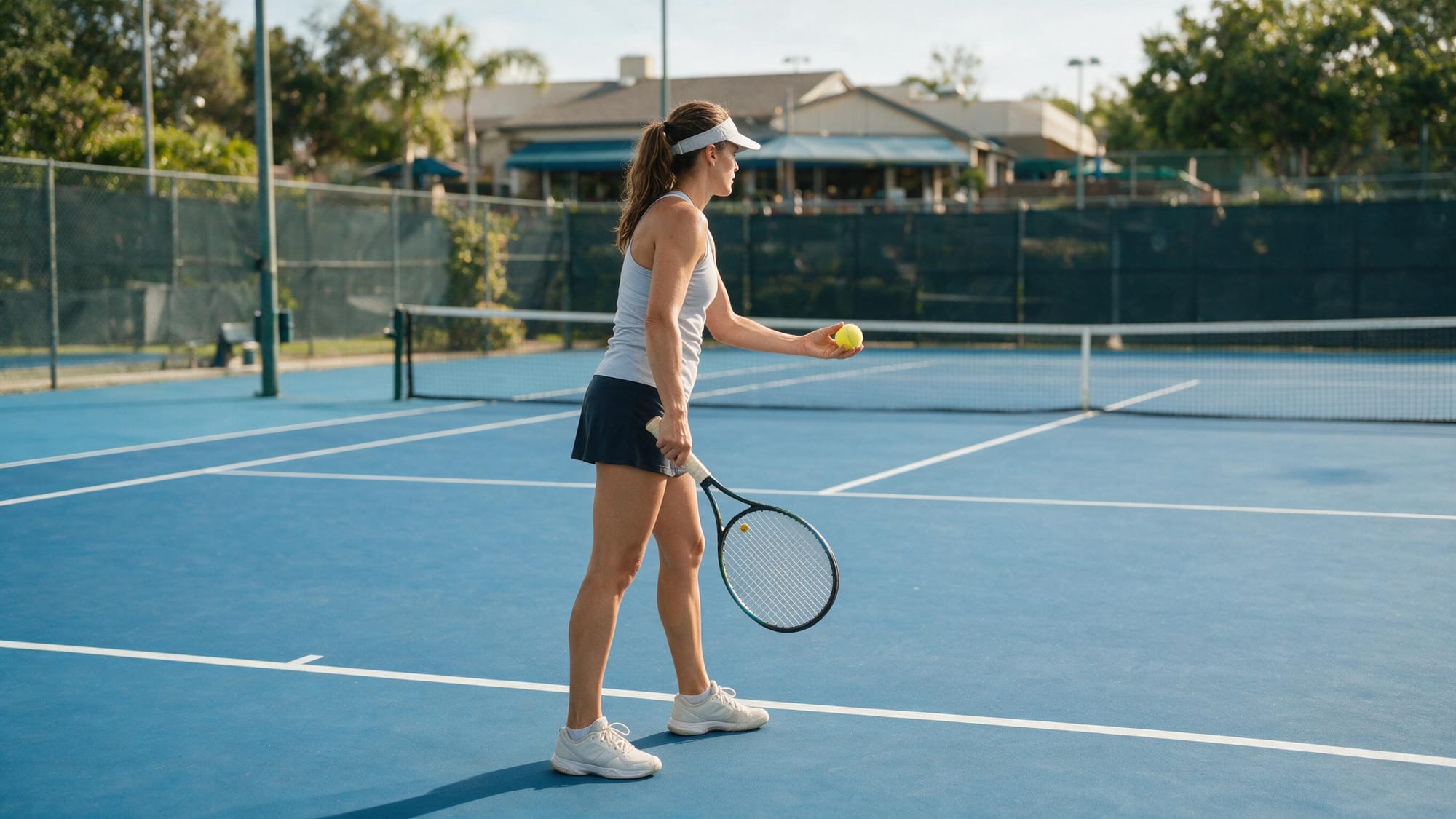
Source-image prompt
Create a photorealistic 2K sports photograph of a professional female tennis player preparing to serve on an outdoor hard court.
Show her full body behind the baseline, holding exactly one tennis ball in her non-racket hand and one racket in the other. She wears a fitted white tennis outfit and stands in a natural starting position before the ball toss.
Use accurate court lines, realistic tennis equipment, natural daylight and believable sports photography. Keep her face, hands, grip and body anatomy clear enough for image-to-video animation.
Exactly one player, one racket and one ball. No action blur, duplicated limbs, extra fingers, additional players or distorted court lines.
The first 720p tennis test. The technique and body movement looked strong, but the timing started to slip when we followed the full serve closely.
Prompt used
Settings: Image-to-video · 5 seconds · 720p · Audio on · $1.80
Create one realistic five-second tennis serve using the woman, outfit, racket, ball and court from the source image.
She tosses exactly one tennis ball upward, bends her knees, rotates her body and performs one powerful serve with realistic racket contact. She follows through naturally and takes two recovery steps back into position.
Keep the entire movement at normal real-life speed. No slow motion, replay or frozen frames. After the serve, the ball travels across the court and does not return.
Preserve her face, body, hairstyle, outfit, racket and the original court. Use realistic tennis movement, natural hair and clothing motion, accurate shadows and synchronized court sounds. Keep the camera stable.
No additional players, rackets or tennis balls. No duplicated limbs, broken hands, distorted racket, disappearing ball or sudden camera changes.
The body movement surprised me first. Her shoulder, back, legs and racket arm worked together like somebody who had at least watched tennis before. The anatomy survived the swing, her hair followed naturally and even the court shadows changed properly as she reached upward.
The timing was weaker. When I watched the whole motion closely, it did not always feel like one continuous serve where each movement caused the next one. Still, the physical movement was good enough to carry the clip.
Our score: 8/10
Test 2: The Jump Rope Was Almost Annoyingly Good
Jump rope should be nasty for an AI video model. A thin object is moving quickly around a body, both handles need to remain in the correct hands, and the rope has to pass under two feet at exactly the right moment. Lose one connection and the whole thing looks fake.
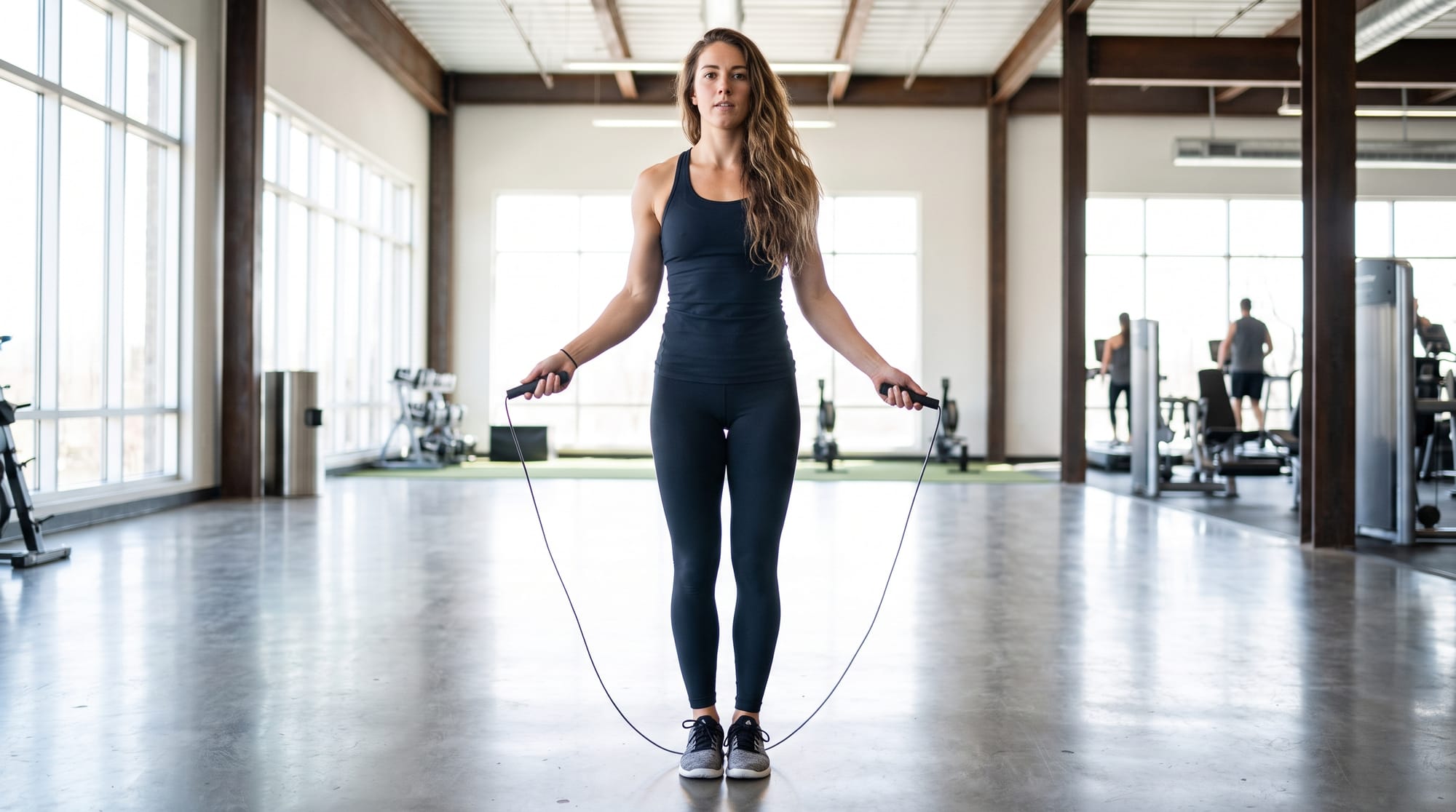
Source-image prompt
Create a photorealistic full-body image of an athletic young woman preparing to jump rope in a modern gym.
She stands naturally with both feet visible, holding one jump-rope handle in each hand. The entire rope must form one continuous, correctly connected loop. Give her enough space above her head and beneath her feet for the rope to move during animation.
She wears fitted modern gym clothes. Use realistic indoor lighting and a convincing gym background with a few people softly out of focus. Keep the woman, both hands, both feet, both handles and the complete rope clearly visible.
No jumping or motion blur yet. No broken rope, missing handles, cropped feet, extra limbs or distorted background people.
Create a photorealistic full-body image of an athletic young woman preparing to jump rope in a modern gym.
The rope completed real rotations and passed beneath both feet. The man on the far right had a more complicated afternoon.
Prompt used
Settings: Image-to-video · 5 seconds · 720p · Audio on · $1.80
Create one realistic five-second jump-rope sequence using the woman, outfit, rope and gym from the source image.
She begins skipping at a natural athletic pace and completes several clean rope rotations. The rope must remain connected to both handles, travel completely around her body and pass visibly beneath both feet during every jump. Both feet leave the floor together and land naturally.
Preserve her face, body, hairstyle, outfit and the original gym. Her arms, wrists, legs, hair and clothing should move naturally. Keep all background people stable and anatomically correct.
Use realistic gym ambience with synchronized rope, landing and shoe sounds. Keep the original camera angle with only subtle natural camera movement.
No broken or disconnected rope, missing handles, rope passing through her body, extra limbs, distorted feet, duplicated people or slow motion.
Somehow, Seedance handled nearly all of it. The rope completed full rotations, passed cleanly under her feet and stayed connected to both handles. Her feet left the floor together, her hair bounced naturally, the sound matched the landings and her face remained stable through the repeated movement.
The obvious problem was a man on the far right of the gym who morphed into the corner and could not quite escape. He was only a background extra, so it barely hurt the clip, although he was definitely having a worse workout than everybody else.
Our score: 8.8/10
Test 3: The Face Stayed the Same
The café test was simpler, but it checked something people will probably use far more often than tennis. Could the same face survive a head turn, a new expression and a hand moving through the hair?
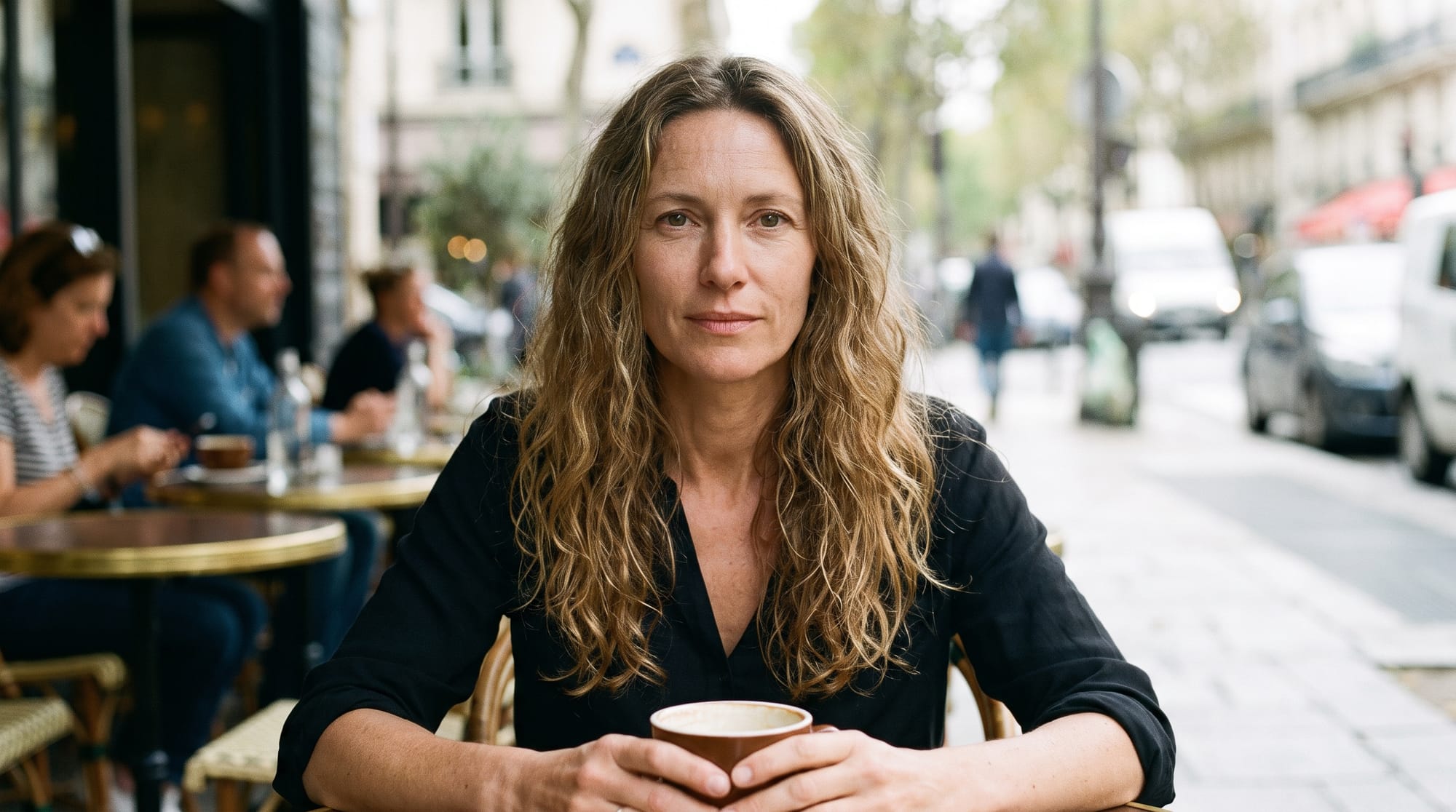
Source-image prompt
Create a photorealistic medium-close portrait of a young woman sitting in a softly lit café.
She looks toward the camera with a relaxed, natural expression. Keep her face, eyes, hair, shoulders and hands clearly visible, with enough room for her to turn her head and move one hand through her hair during animation.
Use warm café lighting, natural skin texture and a softly blurred background. The image should feel candid rather than posed, with a clean face and stable facial proportions suitable for image-to-video animation.
No motion blur, face distortion, hidden hands, exaggerated expression or objects covering her face.
AI-generated woman turning her head, smiling and moving her hair behind her ear while her facial identity remains consistent.
The face and hair held up very well. Only the fast movement inside the eyes looked slightly unnatural when we watched closely.
Prompt used
Settings: Image-to-video · 5 seconds · 720p · Audio on · $1.80
Create one realistic five-second portrait video using the woman and café from the source image.
She first looks naturally to her left, then turns her head back toward the camera. She gives a warm smile, gently moves her hair behind one ear and finishes with a short natural laugh, briefly showing her teeth.
The camera slowly moves closer during the shot. Preserve her exact facial identity, facial proportions, skin texture, hairstyle, outfit and the original café environment. Her eyes must move naturally with her head rather than snapping or sliding sideways.
Use subtle café ambience and realistic hair, hand and facial movement. Keep the motion relaxed and candid.
No face morphing, changing eye colour, distorted fingers, extra teeth, exaggerated expression, sudden camera movement or artificial slow motion.
We asked her to look left, turn back, smile, move her hair behind one ear and laugh while the camera slowly came closer. Most of it worked. The hand-to-hair contact made sense, the background bokeh reacted naturally to the camera and her identity stayed intact.
Watch the gaze change closely and the pupils and irises snap sideways a little too quickly. They almost slide inside the eyes before the head finishes turning. I missed it on the first watch, and most people scrolling a social feed probably would too.
The model never showed her teeth, so that part gave us nothing to judge. Everything else was convincing.
Our score: 8.9/10
Test 4: Our 1080p Result Was Not Worth $4.50
We uploaded the same tennis source, used the same prompt and changed the output to 1080p. It cost $4.50 instead of $1.80, so the question was simple: did the extra resolution look 2.5 times better?
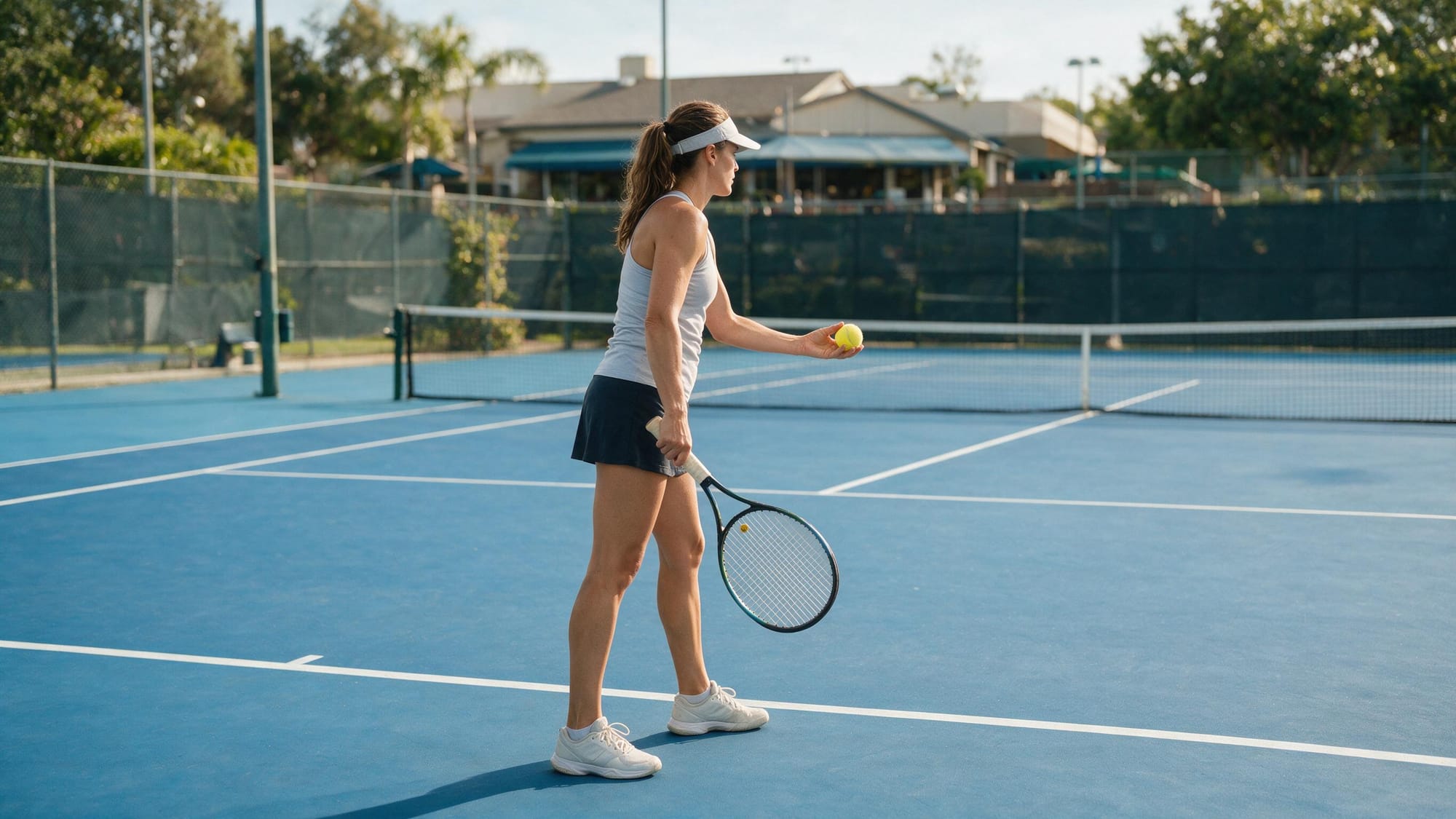
AI-generated 1080p tennis serve with unwanted slow motion, soft facial detail and a ball returning from an empty court.
Prompt used
Settings: Image-to-video · 5 seconds · 1080p · Audio on · $4.50
Create one realistic five-second tennis serve using the woman, outfit, racket, ball and court from the source image.
She tosses exactly one tennis ball upward, bends her knees, rotates her body and performs one powerful serve with realistic racket contact. She follows through naturally and takes two recovery steps back into position.
Keep the entire movement at normal real-life speed. No slow motion, replay or frozen frames. After the serve, the ball travels across the court and does not return.
Preserve her face, body, hairstyle, outfit, racket and the original court. Use realistic tennis movement, natural hair and clothing motion, accurate shadows and synchronized court sounds. Keep the camera stable.
No additional players, rackets or tennis balls. No duplicated limbs, broken hands, distorted racket, disappearing ball or sudden camera changes.
No. Our 1080p result was worse by enough that paying extra felt silly.
The tennis technique remained good, especially the muscle movement and racket motion. Lighting and shadows worked too. But the player had a soft glow around her, Seedance ignored our direct instruction to avoid slow motion, and eventually the ball came back from an empty side of the court. For a few seconds, she was playing a ghost.
The 2K source explains part of it. It was still a soft Seedream generation with bokeh and a small face. More output pixels cannot create facial detail that was never in the source.
This was a new random generation, not the same movement rendered twice, so it does not prove that 1080p is worse than 720p. It proves that our $4.50 result looked worse than our $1.80 result. When you pay for every attempt, that still matters. I would start at 720p and only move up once the source is genuinely sharp and I already know the shot works.
Our score: 6.8/10
The Source Image Became Its Own Test
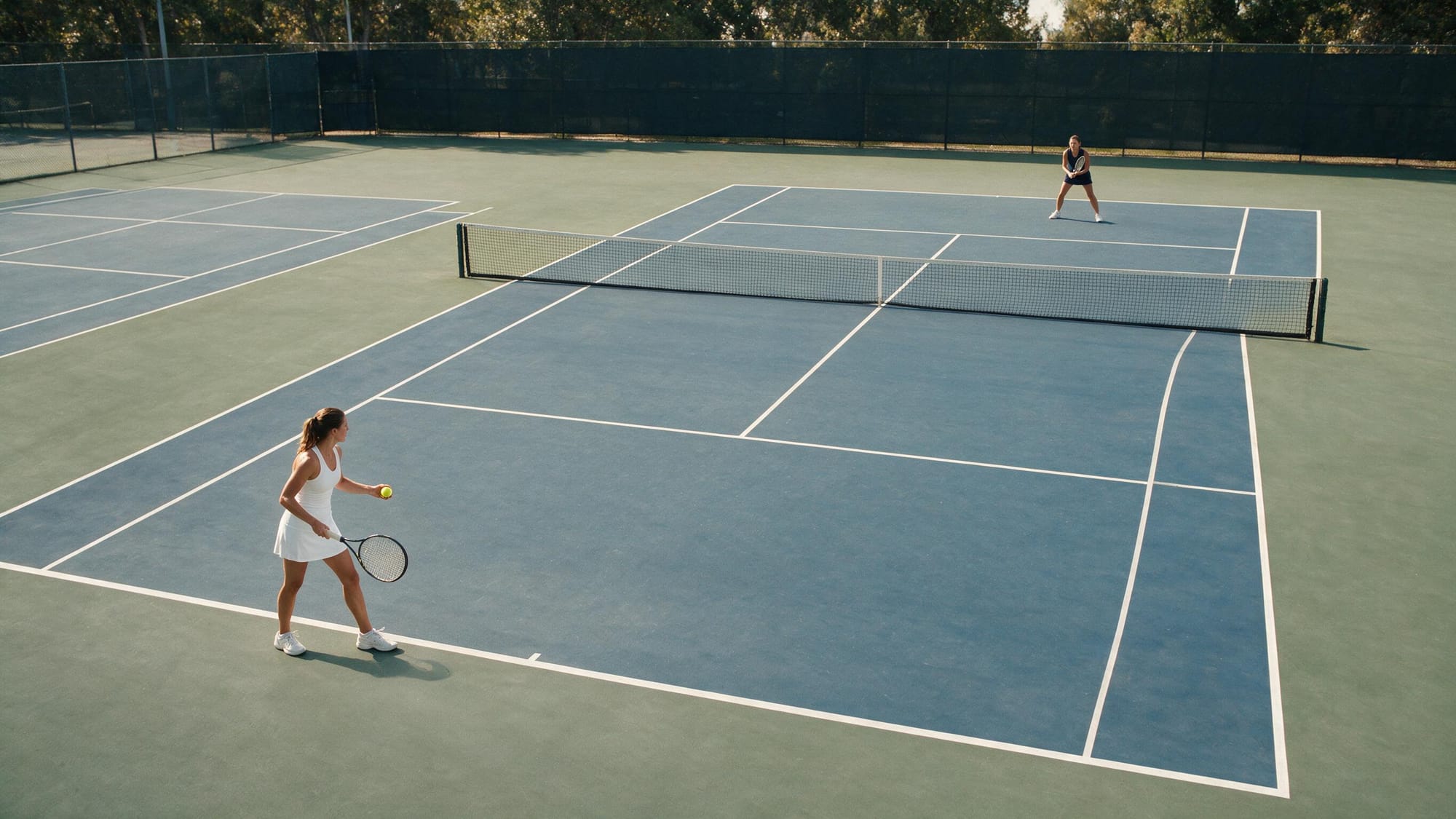
For the final 30-second video, we wanted a source sharp enough that we could no longer blame the input. We tried Seedream 5.0 because using ByteDance’s image model with Seedance seemed logical, and Nano Banana Pro had already done well in our other image tests. Both could make beautiful tennis courts. Getting two players into the correct positions was apparently a much bigger request.
Somehow, generating the source became the hardest part of the whole review.
One attempt put the receiver inside the service box, apparently waiting to get hit by the serve. We added painfully clear instructions saying that both players must stand behind their baselines. That gave us more attractive tennis images with the same basic problem.
The harder we pushed, the stranger the composition became. Sometimes the opponent disappeared completely. Other attempts gave us a player facing the camera while the net wandered off somewhere to the side, as if we had requested a tennis-themed portrait rather than the opening frame of an actual match. The images looked convincing for about two seconds. Then you remembered how tennis works.
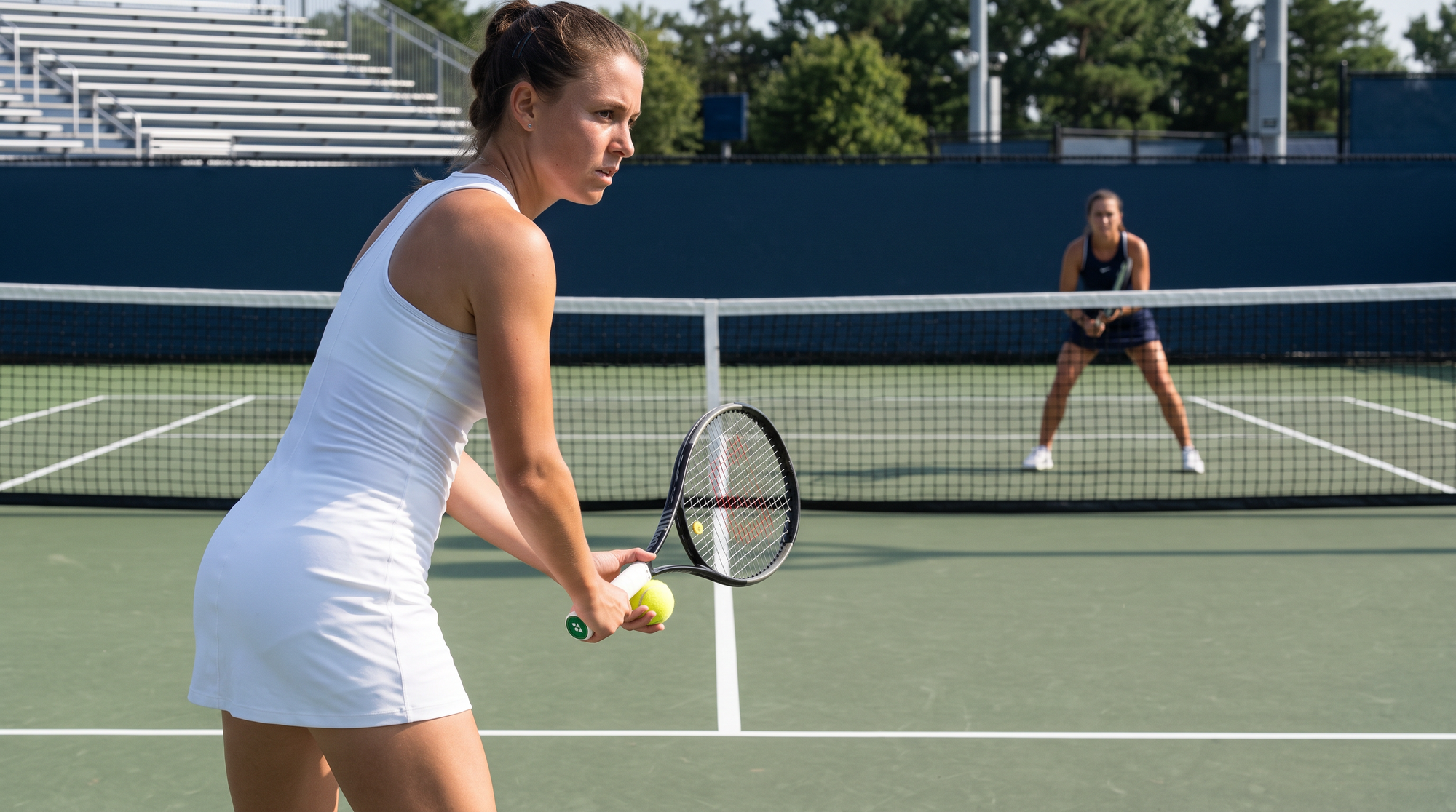
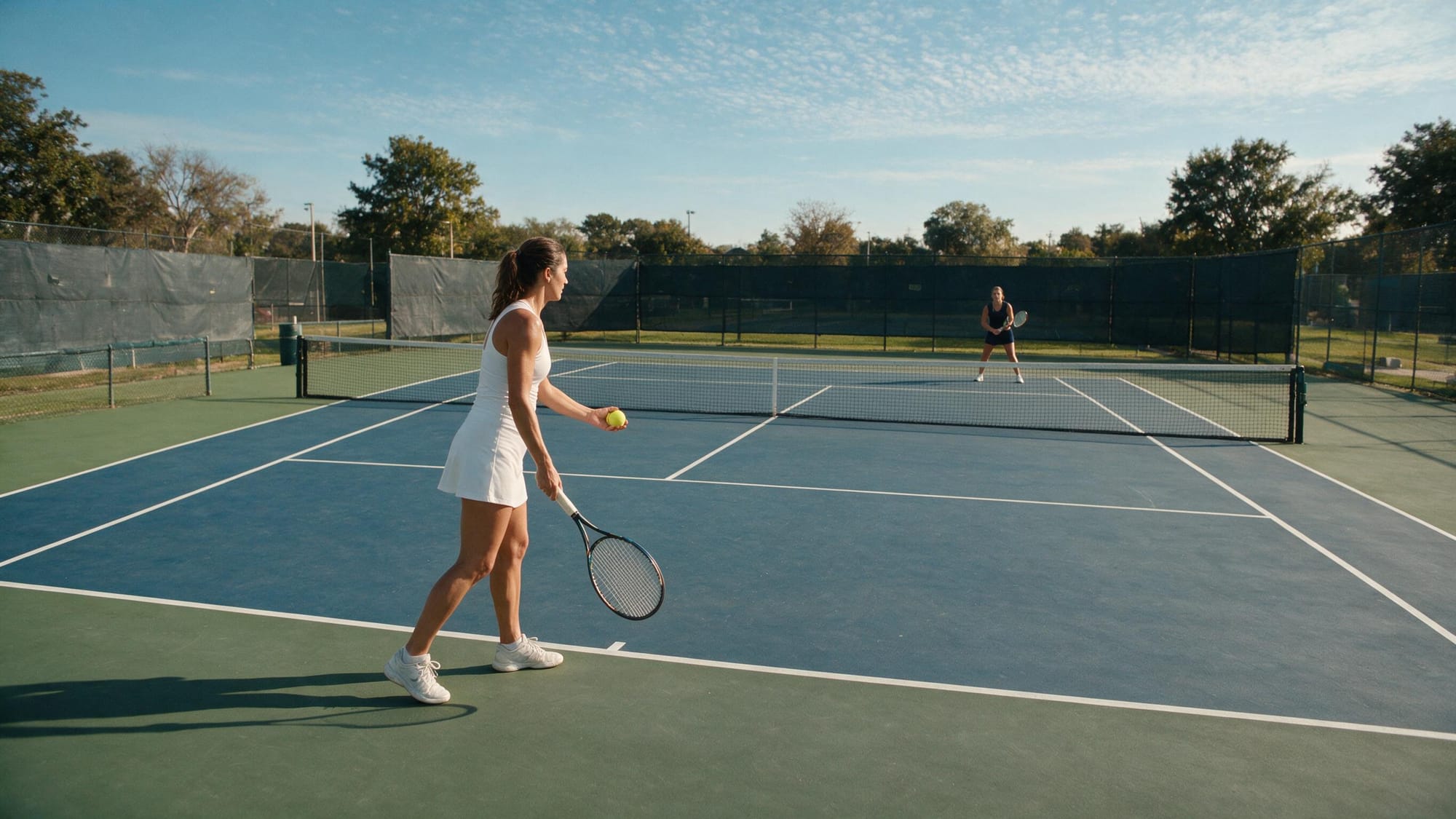
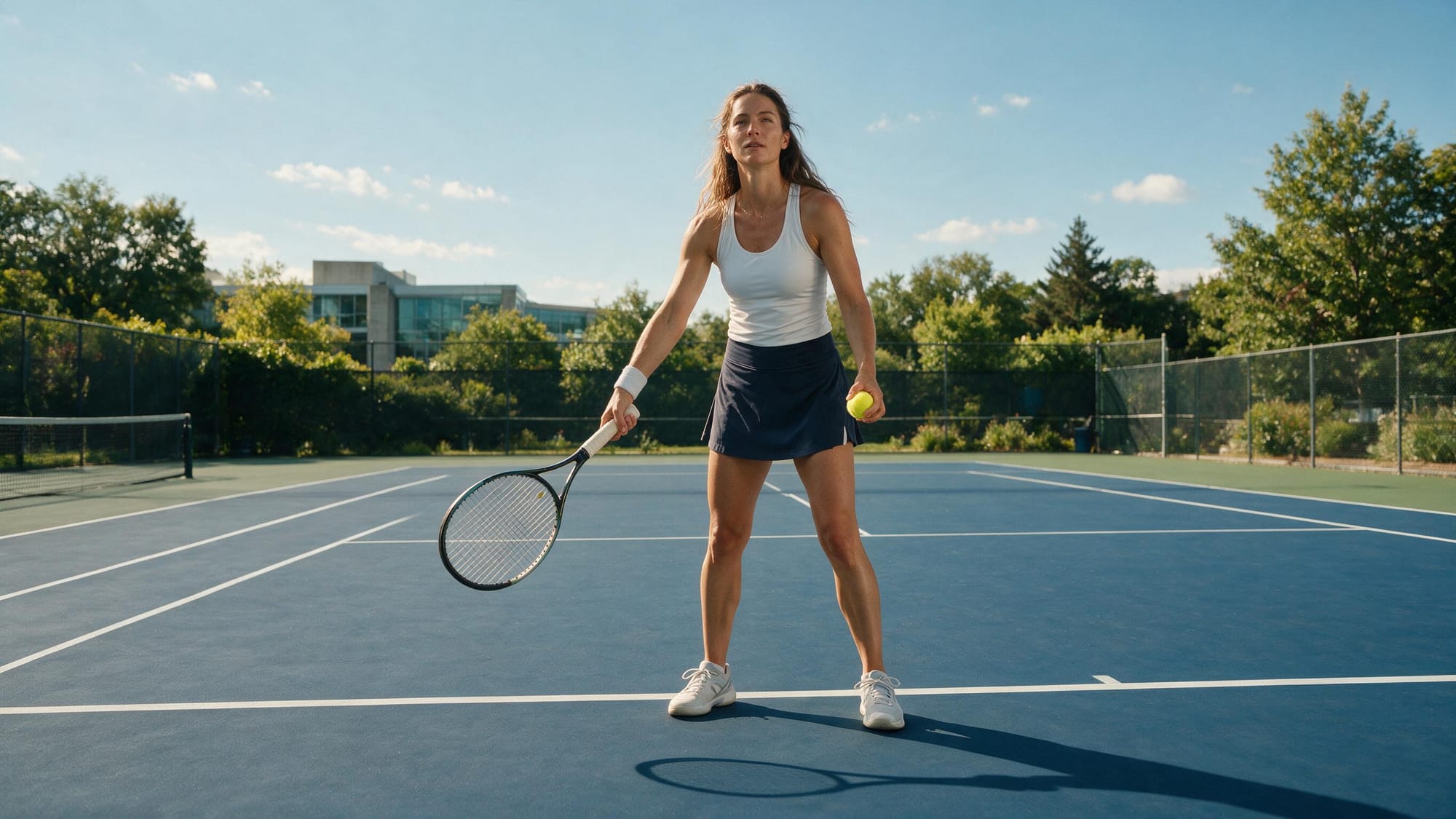
Four AI-generated tennis source attempts showing incorrect player positions, missing opponents, incomplete court layouts, and tennis nets placed away from the action.
Four convincing tennis photographs of scenes we never asked for: receivers inside the court, missing opponents and nets wandering off to the side.
After several rounds of explaining tennis to image models, we added a real match photo as a composition reference. That fixed the layout almost immediately. Both players stood in sensible positions, the full court was visible and we finally had a sharp 2K image worth animating. One photograph achieved more than several paragraphs of extremely clear English.
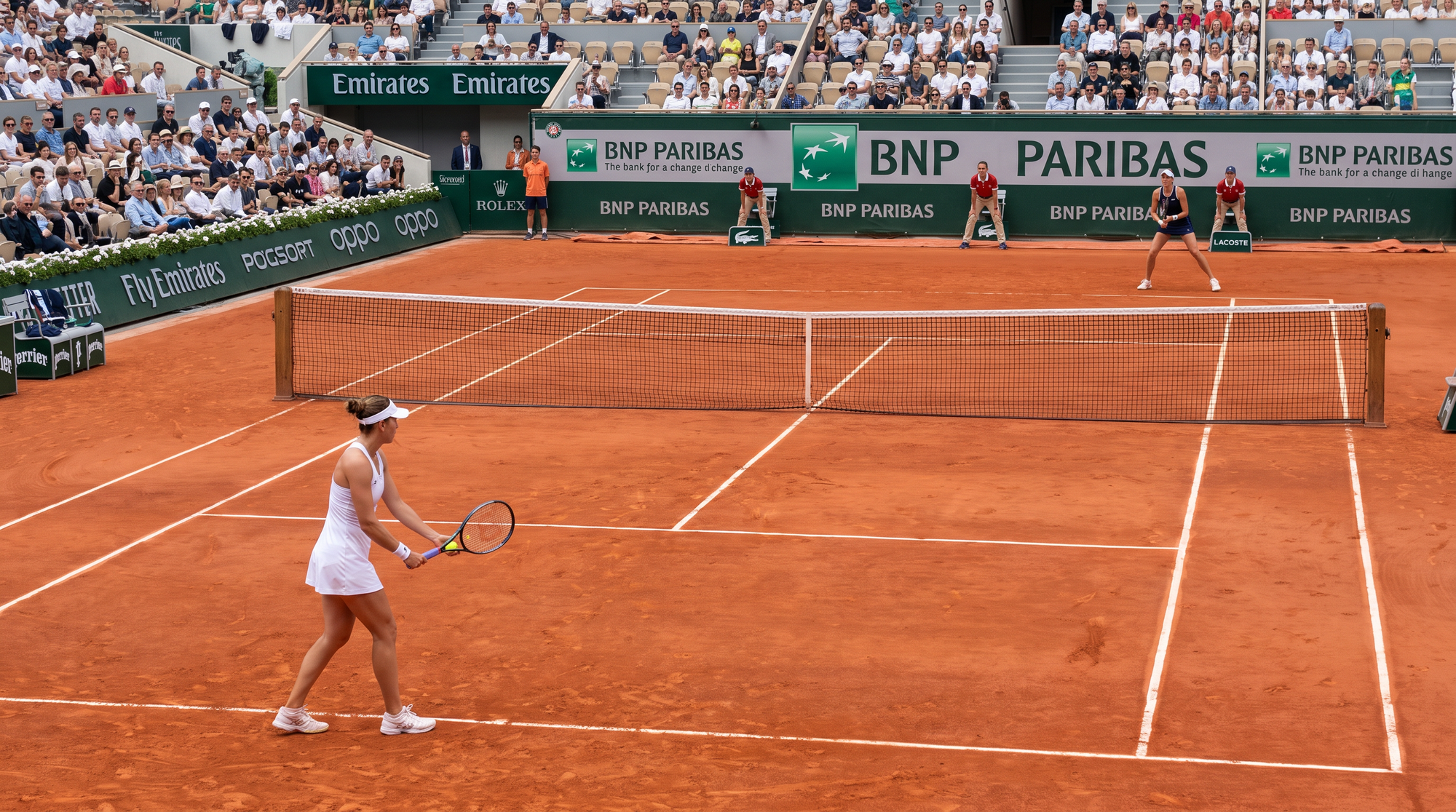
A beautiful source can still have stupid geometry, and the video model will happily animate it. We saw the same problem in our controlled test of seven AI image generators and our look at why precise AI image editing remains harder than making a nice first image.
If positions matter, use a visual reference. You can explain “behind the baseline” five different ways and still receive a very pretty picture of the wrong tennis match. The generated image doesn’t need to copy the reference. It only needs to understand where everybody belongs.
Don’t be cheap with the source. Use the best photograph or generated image you have, then check the hands, faces, objects, court lines and positions before paying for the video. Seedance can do a lot with a strong image. It can also spend your money beautifully animating a mistake that was sitting there from the start.
Test 5: The 30-Second Video Looked Real Until We Followed the Ball
ByteDance presents 30-second generation as one of Seedance 2.5's main attractions. The company says the model can arrange several connected shots into one story and follow timestamped actions, so we asked for one complete tennis point: two ball bounces, a serve, a rally, a forehand winner and a small celebration. We also asked for broadcast camera cuts and synchronized court audio. The generation took 289 seconds, or 4 minutes 49 seconds.
Thirty-second AI-generated women's tennis match with realistic broadcast camera cuts and sound, followed by disappearing-ball and point-continuity errors.
The opening could pass for a real broadcast. By the end, the crowd understood the point better than we did.
Prompt used
Settings: Image-to-video · 30 seconds · 720p · Audio on · $9.72 paid after WaveSpeed's 10% discount
Create one realistic 30-second tennis point using the two tennis players, their outfits, rackets and the court from the source image.
0–5 seconds: The player in white bounces the ball exactly twice while preparing to serve. The opponent waits behind the far baseline.
5–10 seconds: The player in white tosses the ball and performs a powerful serve at normal real-life speed. The ball travels diagonally into the correct service box. The opponent returns it.
10–20 seconds: The players continue a fast, realistic rally. Keep exactly one ball in play. Every change in the ball's direction must happen because a racket hits it.
20–25 seconds: The player in white runs forward and hits a clean forehand winner down the line. The opponent runs toward the ball but cannot reach it.
25–30 seconds: The point ends. The player in white relaxes, smiles, makes one small fist pump and says, “Come on!” The opponent remains on the far side.
Use realistic broadcast tennis camera movement and cuts. Preserve both players' faces, bodies, outfits and rackets. Natural court ambience with synchronized ball bounces, racket impacts, shoe sounds and speech. No music, commentary or slow motion. No duplicate tennis players, additional balls or ball returning without being hit.
My first reaction was: damn, this is good.
The opening looked like a real match. Serve technique, crowd noise, camera angles and the court atmosphere worked together, and Seedance clearly understood televised tennis. It knew when to cut closer and how to frame the returner. For a moment, I stopped checking for AI mistakes and simply watched.
Then I followed the ball.
As the rally continued, it became tiny or partly disappeared. Some racket contacts were hard to follow, and later the ball returned at a completely different size in a close-up. The final winner was never clear, but an official shouted, the player celebrated and the crowd joined in as if everybody had agreed not to ask what had just happened.
The camera cuts made the clip look much more convincing, but they also gave the model places to hide its broken continuity. Each shot looked believable on its own. Across the full sequence, I could no longer tell who had hit the ball, where it went or why the point ended.
That is how this video reached 8.1/10 while still being logically broken. My first impression was closer to 9.3, but once I followed the ball and the actual tennis, it dropped to about 7. Image quality remained excellent, both players stayed recognisable and the audio did a lot of work. Seedance recreated the feeling of a tennis point better than it maintained the point itself.
To ByteDance's credit, its own announcement says the model still needs work on “the physical plausibility of complex motions” and scenes where several subjects interact. That is almost exactly what our tennis test found. ByteDance Seed team
Our score: 8.1/10
What Did Seedance 2.5 Cost Us on WaveSpeed?
WaveSpeed priced its standard Seedance 2.5 image-to-video endpoint by length and resolution when we tested it on August 10, 2026. Five seconds cost $0.90 at 480p, $1.80 at 720p, $4.50 at 1080p and $9 at 4K. A full 30-second generation cost $10.80 at 720p, $27 at 1080p or $54 at 4K. These are WaveSpeed prices, not one universal Seedance price across every platform, and they can change. WaveSpeed's Seedance 2.5 model page and current pricing
| Resolution | 5 seconds | 30 seconds |
| 480p | $0.90 | $5.40 |
| 720p | $1.80 | $10.80 |
| 1080p | $4.50 | $27.00 |
| 4K | $9.00 | $54.00 |
Those prices buy one generation. If the face changes, a hand breaks or the ball disappears, trying again costs the same. Three attempts at a 30-second 720p clip come to $32.40, with no promise that the third will be the best.
You do not need a conspiracy theory about companies deliberately adding six fingers to understand why AI video bills grow quickly. Random generations fail often enough, and the platform gets paid every time. If the finished clip matters, expect to pay for attempts you never use.
How I Would Use Seedance 2.5 After These Tests
I will absolutely use Seedance again. Products, fashion, apps, social clips, casino promos, strange cinematic ideas, I can see it working for almost any advert. The opening of our final tennis video had the movement, sound and camera feeling of a real broadcast. It was the sort of result that makes you open another tab immediately because now you want to see what else it can do.
I would not begin with the big 30-second button, though. Give Seedance one strong image, one main action and one camera instruction. Try five seconds at 720p, see whether the movement works, then spend more. A soft source does not become detailed because the file says 2K, and paying for 4K will not teach a broken hand how fingers work.
Use your favourite AI assistant to simplify the prompt, then read it yourself. Think like your little brother or your grandma: where could this instruction be misunderstood? If you write “the player runs forward” when two players are visible, name the one in white. If one instruction says to keep the ball visible and another asks for dramatic broadcast cuts, decide which one matters more. Those cuts made our tennis video look much better, but they also gave Seedance several convenient places to lose the point.
For something important, I would generate a few short shots and edit the good ones together. A finished advert only needs a handful of moments people believe. Asking one $27 generation to remember every face, hand, object and action for 30 seconds is possible, apparently, but it is also a lovely way to watch your budget disappear.
Would We Recommend Seedance 2.5?
Of course. The jump-rope clip was almost flawless on the first try, the face stayed consistent, and for a few seconds our final test looked like an actual televised match. I stopped hunting for AI mistakes and watched the tennis. That does not happen to me very often anymore.
This is also why I would rather show you our five ordinary paid results than another collection where every video looks like a lost Christopher Nolan trailer. We know how to prompt these models, but we still used Seedance the way most paying customers will: make a source, write the clearest prompt we can, press Generate and hope the expensive little bastard understood us.
It usually understood enough to impress me. It did not always understand enough to finish the job. Give Seedance the best source you can possibly make, leave money for a second attempt and keep complicated action in short shots. We spent only $19.62 and came away with several clips I would happily use, plus one 30-second match that looked brilliant until somebody tried to explain the score.
Sources
- ByteDance Seed Team: Introducing Seedance 2.5, July 31, 2026 — primary source for the launch date, 30-second generation, reference limits, timestamp controls and ByteDance's stated model limitations.
- WaveSpeed: Seedance 2.5 image-to-video model and pricing, accessed August 10, 2026 — platform page for the endpoint and prices used in our paid test.
- Google Search Central: Article structured data and Video structured data - implementation references for the publishing notes above.