Best Music Production Plugins: 20 Essentials for Logic and Ableton
Our music production plugins in Logic and Ableton: what each one does well, what annoys us about it, and which ones you never need to pay for.

The first track we ever released got one piece of feedback that stuck, from a friend who listened to the whole thing and asked, "Bro, did you even mix or master this?" We had no idea what he meant. We could write a melody, build a beat and arrange a drop, but nobody had told us that finishing a track was a separate job, and the producers we asked for help mostly answered with some version of "figure it out yourself."
So we did, from YouTube tutorials at six to eight hours a day, from Reddit and forum threads whenever something wasn't working and we couldn't see why, and from taking apart the house and electro records from 2012 to 2017 that we were obsessed with. Years later our plugin folder is full of things we bought, downloaded and argued about, and this is the list we would hand to a friend: the 20 tools we use in Logic Pro and Ableton Live, what each one does well, what annoys us about it and which ones you never need to pay for.
Quick answer
The stock instruments and effects in Logic Pro or Ableton Live, plus five free plugins, cover most of what a house, R&B or hip-hop producer needs: Vital for synths, Valhalla Supermassive for space, TDR Nova for dynamic EQ, Softube Saturation Knob for grit and Voxengo SPAN for checking the mix. Pay for a plugin when it makes a job faster, which for us means FabFilter Pro-Q 4 for precise EQ, Kickstart 2 for sidechain ducking, ShaperBox 3 for rhythmic movement and Serum 2 once Vital stops being enough.
| Job | Free or already in your DAW | Paid upgrade we use |
|---|---|---|
| Synth bass and leads | Vital, Ableton Drift, Logic Alchemy | Serum 2 |
| Keys and vintage synths | Logic Alchemy | Arturia Analog Lab Pro |
| Sampling and chops | Logic Sampler and Quick Sampler, Ableton Simpler | Ableton Sampler (Live Suite) |
| Drums | Ableton Drum Rack | XLN Audio XO |
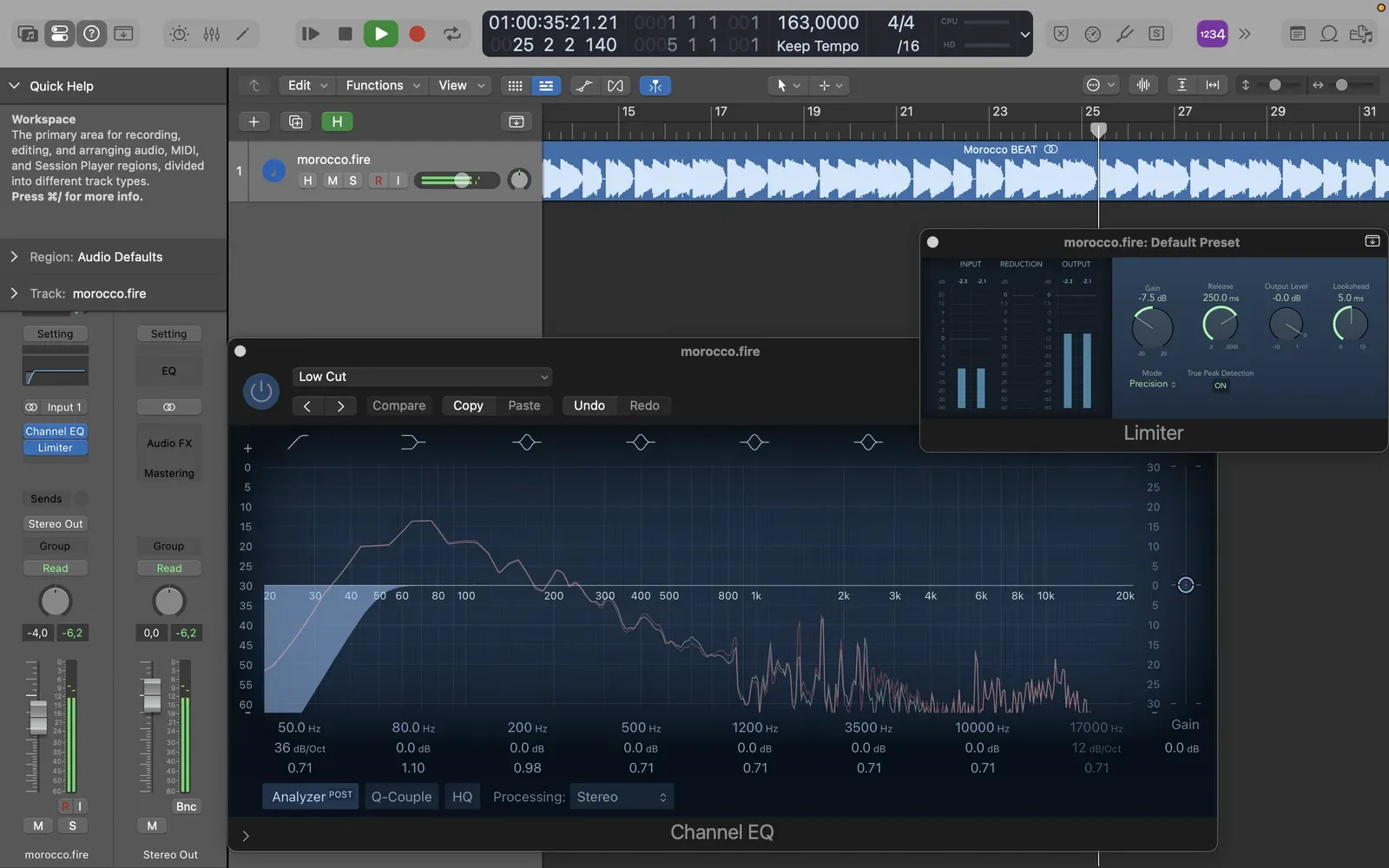
| Everyday EQ | Logic Channel EQ, Ableton EQ Eight | FabFilter Pro-Q 4 |
| Dynamic EQ | TDR Nova | FabFilter Pro-Q 4 |
| Sidechain and ducking | Ableton Compressor | Kickstart 2 |
| Rhythmic movement | Automation in your DAW | ShaperBox 3 |
| Saturation | Ableton Saturator, Softube Saturation Knob | Soundtoys Decapitator, RC-20 Retro Color |
| Reverb and delay | Valhalla Supermassive | Valhalla VintageVerb, Soundtoys EchoBoy |
| Bus glue | Ableton Glue Compressor | Not needed |
| Limiting | Logic Limiter | FabFilter Pro-L 2 |
| Metering | Voxengo SPAN | Not needed |
"Free" in this piece means a free third-party download, and "included" means it comes with Logic Pro or a paid edition of Ableton Live, so it costs nothing extra once you own the DAW, which is not the same as free. Prices are the developers' list prices on 25 October 2026. Logic Pro costs $199.99 once, or comes with Apple's Creator Studio subscription at $12.99 a month, and Ableton Live 12 costs $99 for Intro, $349 for Standard and $749 for Suite.
The five free plugins, and what each one asks of you before you can download it:
| Free plugin | What it does | Account needed |
|---|---|---|
| Vital (Basic) | Wavetable synth | Vital account |
| Valhalla Supermassive | Reverb and delay | None |
| TDR Nova | Dynamic EQ | None |
| Softube Saturation Knob | Saturation | Softube and iLok accounts |
| Voxengo SPAN | Spectrum analyzer | None |
Our setup
We used to make house, funky house, bass-heavy dance music, R&B and hip-hop-leaning beats as DJK, always on a Mac. Also remember we started in GarageBand, made R&B, trap and Playboi Carti-style beats in FL Studio, bounced off Ableton the first time because the interface felt completely overwhelming, moved to Logic Pro and eventually came back to Ableton with fresh eyes. Today we split the work between the two:
- Logic Pro for instruments, sampling, songwriting and mixing
- Ableton Live for drum programming, chopping samples, groove and arrangement experiments
We spent years switching programs before admitting that a new DAW does not make your music better. Both have capable audio engines, and what makes them sound different in practice is what you do inside them.
Synths and instruments
1. Logic Alchemy
Included with Logic Pro. Alchemy is a huge hybrid synth that also mangles samples, kinda basic but it covers pads, basses, plucks and strange textures. It carried a lot of our older productions, including "world-famous" Morocco BEAT, and if you own Logic and have never gone past the presets, there is a whole second instrument hiding in there. It goes so deep that you can spend a session designing one sound and never finish the track.
2. Ableton Drift
Included with every edition of Live 12. Drift is a simple two-oscillator synth with an analog flavour, and for basslines, warm chords and background textures, a basic patch with good MIDI is often all a track needs. We just wish the starting presets were more exciting.
3. Vital
Free (Basic tier); Plus costs $25 and Pro $80, adding presets and wavetables. Vital is the best free instrument we know, a wavetable synth that does reese basses, leads, plucks and experimental sound design with visual modulation you can follow at a glance. It is also easy to push into something harsh and over-digital, so keep an ear on the top end.
4. Xfer Serum 2
Paid, $249. Serum 2 is where we go when a bass or lead needs more modulation, layering or movement than Vital gives us comfortably, and the paid licence also gets you Serum 2 FX for processing audio through Serum's effects. It is so capable that we sometimes open it for a basic sub and lose twenty minutes building something nobody asked for.
5. Arturia Analog Lab Pro
Paid, $199; the free Analog Lab Play has 100 of the sounds. Analog Lab Pro is a so nice preset player for Arturia's emulations of vintage keys, electric pianos and synths, and its Rhodes and Wurli sounds are a shortcut to R&B and deep house chords. The danger is the browser, where an evening of scrolling presets can replace an evening of writing.
Sampling and drums
6. Logic Sampler and Quick Sampler
Included with Logic Pro. Quick Sampler is for throwing one sample across the keyboard, an 808, a vocal stab or a short instrument phrase, and Sampler takes over when you need multisampled instruments and proper zone editing. Sometimes a track needs nothing more than one sample in the right key, although anything beyond the basics in Sampler takes more work than dragging in a file.
7. Ableton Simpler
Included with every edition of Live. Simpler is our sketchpad for vocal chops, one-shots and loops pitched into completely different sounds, and slice mode turns a break into playable pads in seconds. Extreme stretching or repitching introduces artifacts, which sometimes is the sound you want and sometimes is not.
8. Ableton Sampler
Included with Live Suite only. Sampler is Simpler's bigger sibling, with multisampling, zones and deeper modulation for when you want to build an instrument rather than chop a loop. For basic chops it is more than you need.
9. Ableton Drum Rack
Included with every edition of Live. Drum Rack is where we build kits, layer claps, program percussion and give every hit its own effects chain. Big racks get messy quickly, so name your pads before you have sixteen of them.
For finding sounds we also use XLN Audio XO ($149), which maps your one-shots by how they sound and beats digging through folders, right up until you spend longer choosing a kick than writing the track.
EQ
10. Logic Channel EQ
Included with Logic Pro. Channel EQ handles high-pass filters, low-mid cleanup and quick tonal moves, which is most of the EQ a mix needs, so we do not need a $199 EQ on every channel. What it lacks are FabFilter's dynamic and spectral tools.
11. Ableton EQ Eight
Included with Live Standard and Suite. EQ Eight does fast surgical cuts and everyday shaping with an interface you stop noticing after a week. Like Channel EQ, it falls behind dedicated tools once you need dynamic EQ.
12. FabFilter Pro-Q 4
Paid, $199. Pro-Q 4 is the EQ we open when something needs precision: resonances that only appear on certain notes, dynamic bands that react to the signal, and an analyzer that shows exactly where two sounds are fighting. The catch is the analyzer itself, because staring at the spectrum can make you fix audio that sounded fine.

Two free EQs sit next to it in our folder. TDR Nova gives you dynamic EQ for nothing and handles harsh vocals and boomy samples well, though it takes longer to learn than Pro-Q. iZotope's Ozone Equalizer is a clean, mastering-minded EQ; ours is the Ozone 11 version, and the current free download is the Ozone 12 Equalizer from Native Instruments. With several EQs already installed, its main problem is overlap.
Compression and sidechain
13. Kickstart 2
Paid, $16. Kickstart 2 is the fastest way to get house-style ducking: pick a curve, set the mix and the bass gets out of the kick's way without routing a sidechain. Use the same pumping curve on everything and the groove starts to feel robotic.
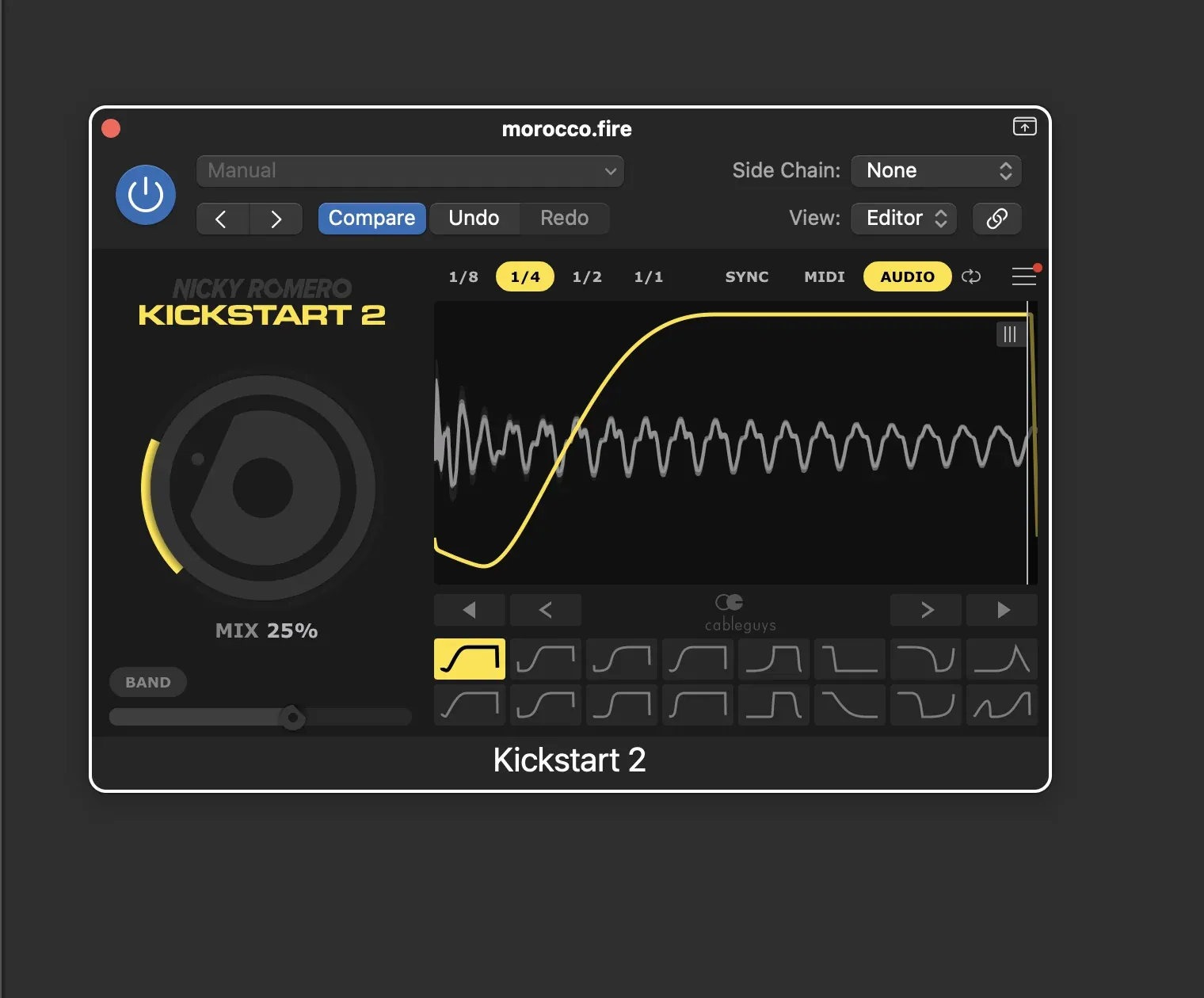
When the ducking needs to follow the kick's actual pattern instead of a fixed curve, we use Ableton Compressor with a sidechain, which is included with Live. Set it too aggressively and the groove breathes in a way that sounds like a mistake.
14. Ableton Glue Compressor
Included with Live Standard and Suite. Glue is the bus compressor we put on drums and grouped parts to make them sit together, and it works best when you barely notice it, because pushing it hard flattens the transients.
Saturation and colour
15. Ableton Saturator
Included with every edition of Live. Saturator adds harmonics to bass so it reads on small speakers and puts some bite on drums, with no paid distortion needed. Overdo it on the bass and the low end turns to mush.
16. RC-20 Retro Color
Paid, $99. RC-20 adds noise, wobble, tape and vinyl character in one window, which suits older R&B-inspired ideas. That dusty sound is everywhere now, so it can become a shortcut rather than a decision.
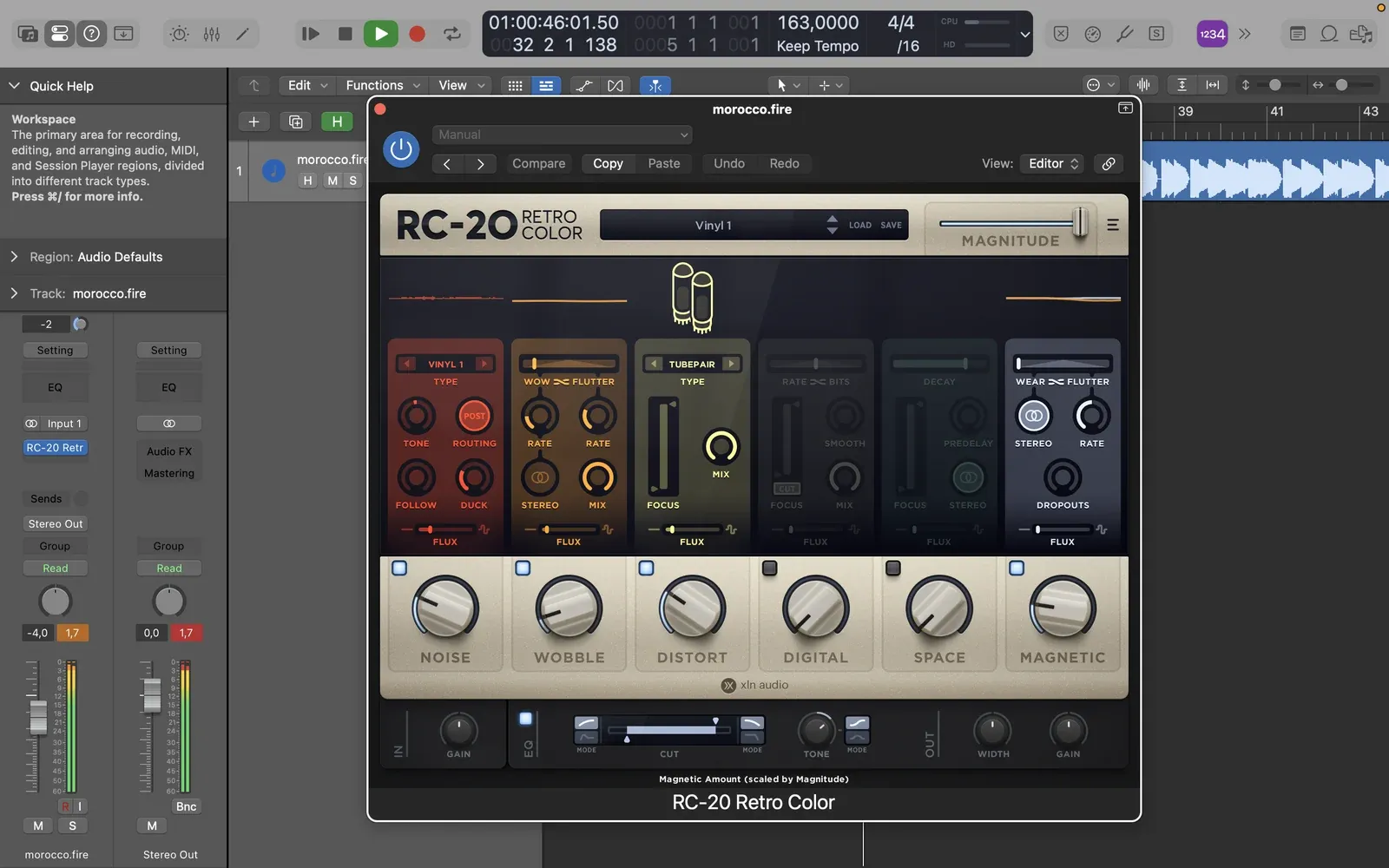
Softube Saturation Knob (free) is one knob of quick grit for drums, bass and instruments, though the added loudness can fool you into thinking the sound improved. Soundtoys Decapitator ($199 list, $69 in Soundtoys' current sale) is for heavier drive on drums and sampled instruments, and too much of it gets tiring fast.
Movement and effects
17. ShaperBox 3
Paid, $89 in Cableguys' current Black Friday sale. ShaperBox 3 draws volume, filter, distortion, pan and stereo movement in time with the track, and it turns a static loop into something that develops. It is very easy to spend an hour designing an effect that lasts half a second.
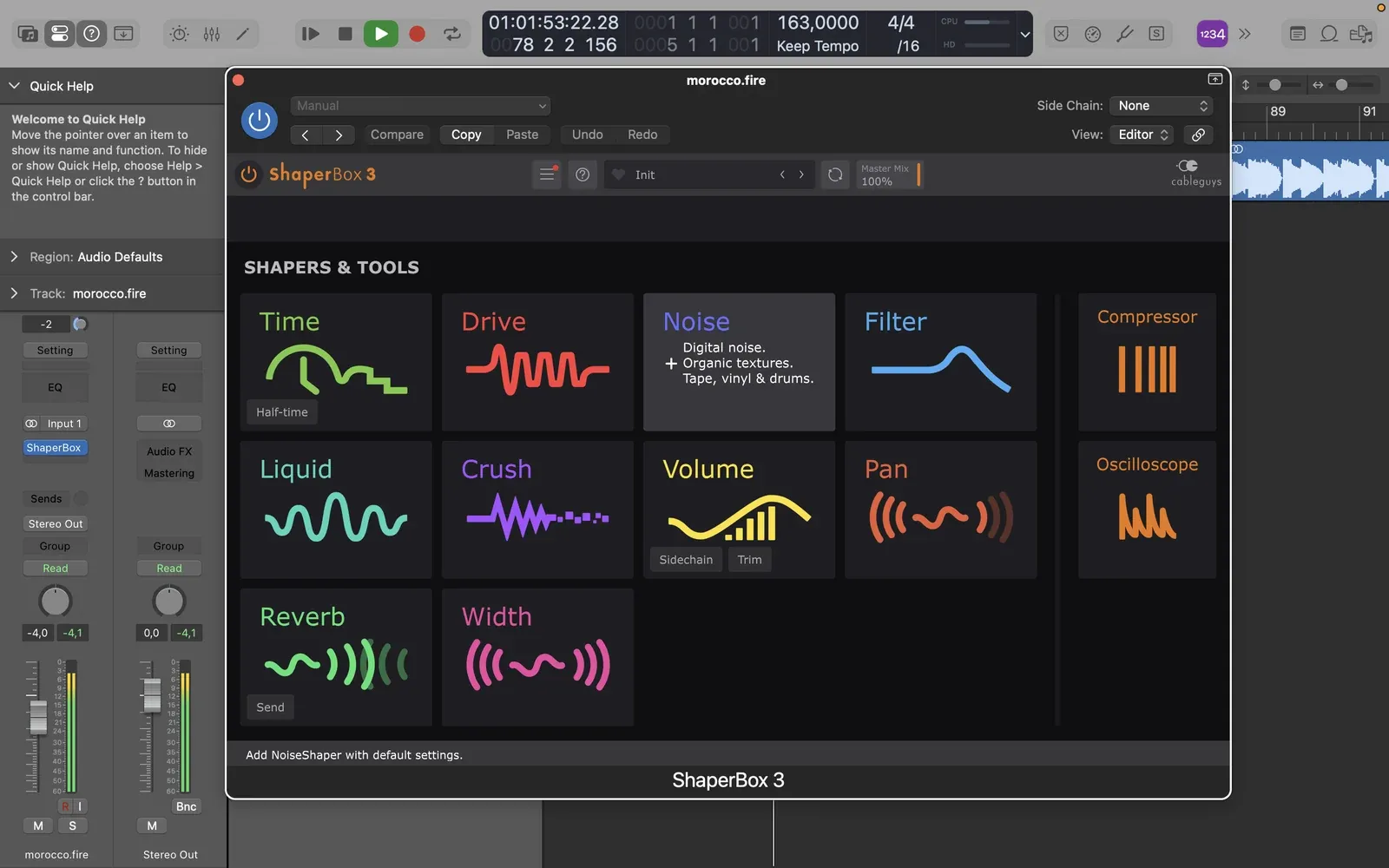
Serum 2 FX, which comes with Serum 2, lets us run external audio through Serum's effects and modulation. It is another rabbit hole when a simple filter or saturator would do.
Reverb and delay
18. Valhalla VintageVerb
Paid, $50. VintageVerb gives us the character of classic digital reverbs, nostalgic synth spaces, roomy keys and percussion ambience, and its 1970s and 1980s colour modes do a lot of the work. Long tails can muddy a tight dance track.

19. Valhalla Supermassive
Free. Supermassive does huge delays and evolving reverbs for transitions, atmospheres and sound design, and it is good enough that we would recommend it at any price. Almost everything sounds interesting through it, which makes it dangerously easy to overuse.
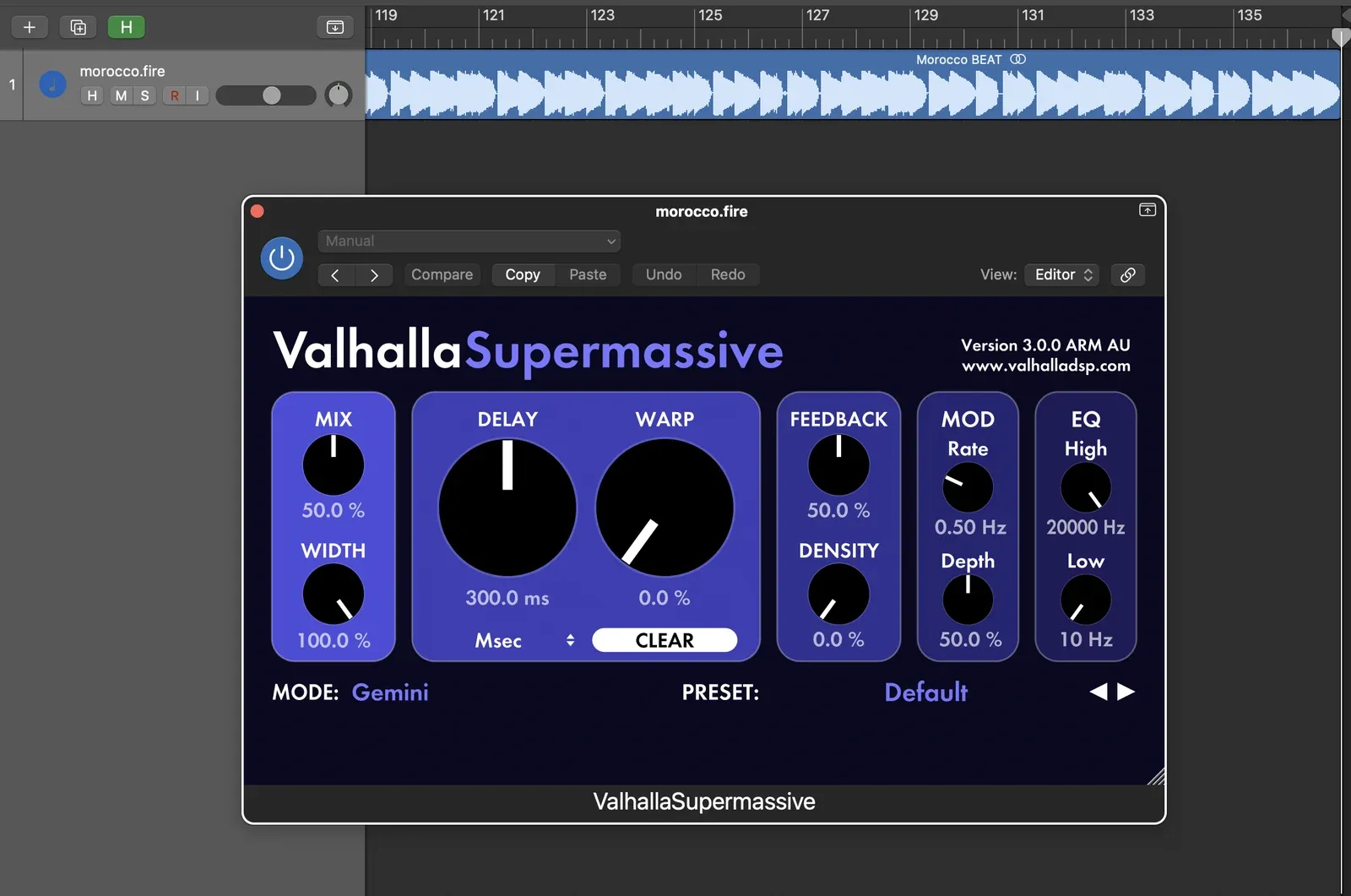
For delays we also use Soundtoys EchoBoy ($199 list, $69 on sale) handles rhythmic echoes and vocal delays with plenty of character, and it has more controls than a straightforward delay needs.
Limiting and metering
20. Voxengo SPAN
Free. SPAN is our spectrum analyzer for checking low-end balance and comparing a mix with reference tracks. The interface looks ancient, and a nice-looking spectrum does not guarantee a good mix.
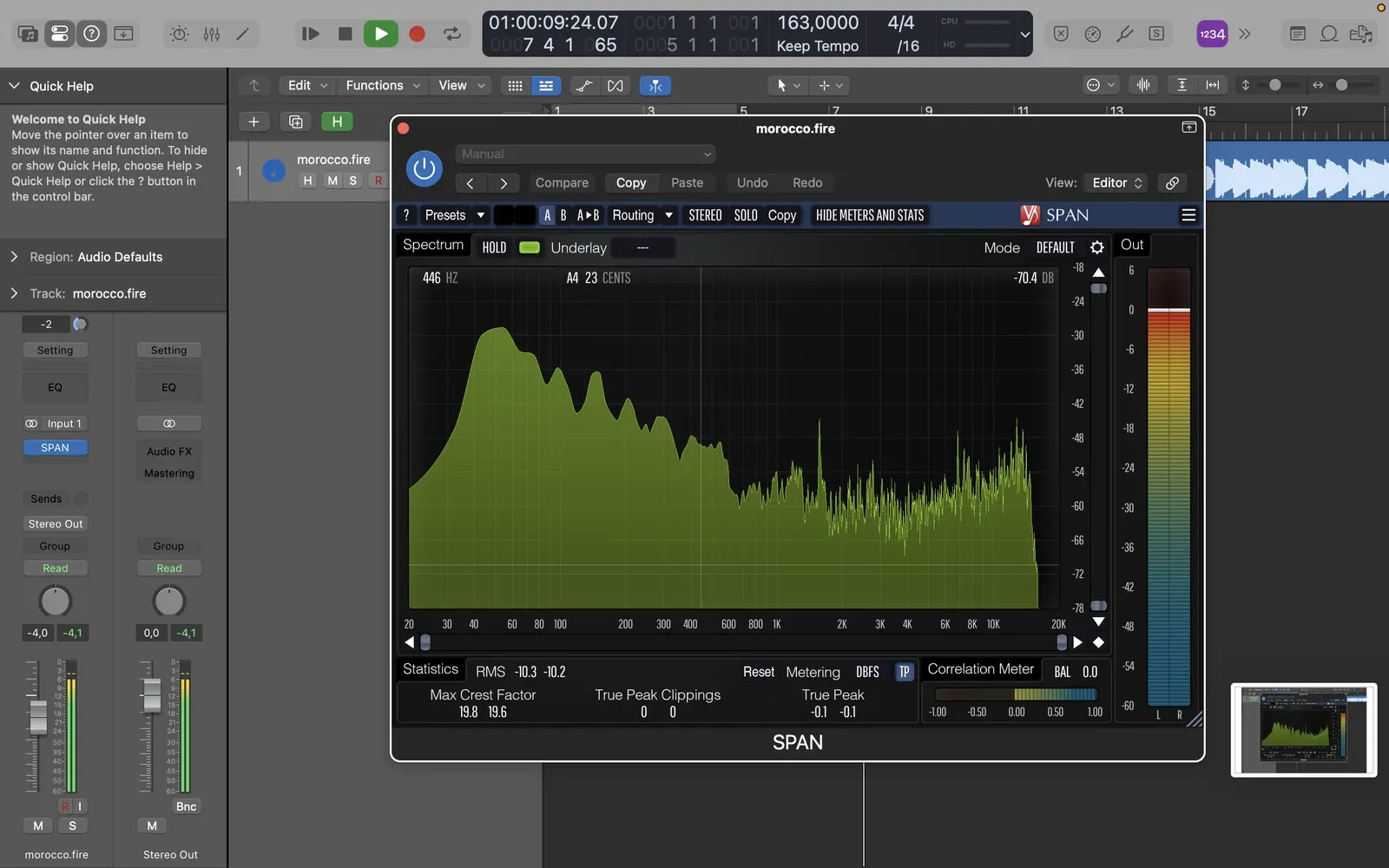
For limiting we use Logic Limiter, which is included, for level management and rough masters, and FabFilter Pro-L 2($199) when we want cleaner loudness and better metering. With both, it is easy to give up punch for volume, and tempting to use the limiter to fix a mix that needed work earlier.
Morocco BEAT: a GarageBand flute and an 808
Morocco BEAT is one of our older tracks, roughly ten years old by our memory, and it is a useful example because it was not built with an expensive plugin collection. The idea started with an 808 and a flute sound from GarageBand's built-in library, then grew with Logic instruments, mainly Alchemy and the sampling tools. The flute gave it a North African feel to our ears, hence the name.
The screenshots in this piece come from opening the finished stereo bounce of Morocco BEAT in Logic recently and running it through our current plugins, so they show our toolkit, not the original multitrack session. The track itself was made almost entirely with what came with the DAW.
What we stopped doing
We still own every plugin on this list, but we use several of them very differently now.
- RC-20 on every sample. For a while everything had to sound dusty, and eventually everything sounded the same.
- Sidechain pumping by default. It is exactly right for some house tracks and wrong for plenty of others.
- Copying mix chains from tutorials. Someone else's drum bus settings were made for their drums.
- Stacking processing because a video called it a professional chain. EQ, saturation, compression, more EQ, and the dry sound was often better.
- Buying plugins to fix arrangement problems. If the drums are boring, the pattern is boring. If the bass is not working, check the notes before the processing.
Most plugin roundups recommend the same products, call everything warm and analog and never say what happens when you turn the plugin off. We care much more about why someone picked a tool and what it did on a real track, which is why some of the best production advice we found came from a stranger on Reddit diagnosing a bass problem, or a producer opening an unfinished session on YouTube.
How we learned
Long before DAWs, we had school piano lessons, singing, music theory and choir, which at the time felt like the least effective way imaginable to impress girls. It turned out to be the most useful training we had, because solfège and ear training taught us intervals, chords and harmony before we knew what a synth was.
The real production education came from reverse-engineering tracks. We would take a record by Disclosure, Kaytranada, Tchami or DJ Snake and ask why the drop worked, how the bass moved with the drums, or why removing one element for two bars made the next section hit harder, then try to rebuild it. Half the time the result sounded nothing like the original, and we still learned sidechaining, drum programming, layering and automation from the attempt.
Mixing came after that friend's question. We overcompressed, cut frequencies that mattered and pushed the master limiter until everything was loud and lifeless, and it took a while to understand that mixing is about making the parts work together, which an effect on every channel usually works against. Good production decisions solve a lot of mixing problems before the mix starts.
Final verdict
If you own Logic Pro or Ableton Live, start with what is already there and add Vital, Valhalla Supermassive, TDR Nova, Softube Saturation Knob and Voxengo SPAN for free. Buy paid plugins when they save time on something you do every week, like Pro-Q 4 for surgical EQ, Kickstart 2 for ducking or ShaperBox 3 for movement, and not because a producer you like uses them. Learn an instrument if you can, rebuild records you love, and finish tracks, because owning professional tools and understanding production are two different things.
FAQ
What plugins do you need to start producing music?
None beyond your DAW. Logic Pro and Ableton Live ship with synths, samplers, EQs, compressors, reverbs and limiters that cover a full track. Add Vital and Valhalla Supermassive for free when you want more sound design.
What is the best free VST plugin?
For us it is Vital for instruments and Valhalla Supermassive for effects. TDR Nova, Softube Saturation Knob and Voxengo SPAN are the other free plugins we use regularly.
Is FabFilter Pro-Q 4 better than a stock EQ?
It is more precise and has dynamic bands and a better analyzer, but for high-passing, cleanup and tone shaping, Logic Channel EQ and Ableton EQ Eight do the job. Buy Pro-Q 4 when you keep running into resonance and masking problems.
Logic Pro or Ableton Live for house music?
Both work. Logic gives you more instruments out of the box, while Ableton is faster for chopping samples, programming drums and trying arrangement ideas. We use both and pick based on the job.
Sources
- Logic Pro, Apple: https://www.apple.com/logic-pro/
- Ableton Live 12 editions: https://www.ableton.com/en/live/compare-editions/
- Vital: https://vital.audio/
- Xfer Serum 2: https://xferrecords.com/products/serum-2
- Arturia Analog Lab: https://www.arturia.com/products/software-instruments/analoglab/overview
- FabFilter Pro-Q 4: https://www.fabfilter.com/products/pro-q-4-equalizer-plug-in
- FabFilter Pro-L 2: https://www.fabfilter.com/products/pro-l-2-limiter-plug-in
- Kickstart 2: https://www.kickstart-plugin.com/
- Cableguys ShaperBox 3: https://www.cableguys.com/shaperbox
- XLN Audio RC-20 Retro Color: https://www.xlnaudio.com/products/addictive_fx/effect/rc-20_retro_color
- XLN Audio XO: https://www.xlnaudio.com/products/xo
- Valhalla VintageVerb: https://valhalladsp.com/shop/reverb/valhalla-vintage-verb/
- Valhalla Supermassive: https://valhalladsp.com/shop/reverb/valhalla-supermassive/
- Voxengo SPAN: https://www.voxengo.com/product/span/
- Tokyo Dawn Records TDR Nova: https://www.tokyodawn.net/tdr-nova/
- Native Instruments, Ozone 12 Equalizer (free): https://www.native-instruments.com/products/ozone-eq
- Apple, GarageBand: https://www.apple.com/mac/garageband/
- Softube Saturation Knob: https://www.softube.com/plug-ins/saturation-knob
- Soundtoys Decapitator: https://www.soundtoys.com/product/decapitator/
- Soundtoys EchoBoy: https://www.soundtoys.com/product/echoboy/